AULA L99 Gaming Keyboard vs. Premium Gaming Keyboards: A New Take on What a Flagship Should Be
The premium gaming keyboard market has never lacked impressive choices. From the CORSAIR K100 RGB and its programmable control wheel, to the Razer BlackWidow V4 Pro with extensive macro controls, and the ROG Strix Flare II Animate with its customizable AniMe Matrix display, leading brands have continued to redefine what a flagship gaming keyboard can offer.
Yet as gaming keyboards become increasingly advanced, a new question is emerging:
What should a modern flagship keyboard actually feel like to use every day?
This is exactly where the AULA L99 Gaming Keyboard takes a different approach.
Rather than simply adding more features to compete on specifications, the L99 is designed around a more complete desktop experience — combining performance, intelligent interaction, flexible functionality, and visual aesthetics into one cohesive design. It represents a new direction for the modern mechanical gaming keyboard, focusing not only on gaming performance but also on how users interact with their keyboards throughout the day.
1. Full-Size Functionality Without the Full-Size Footprint
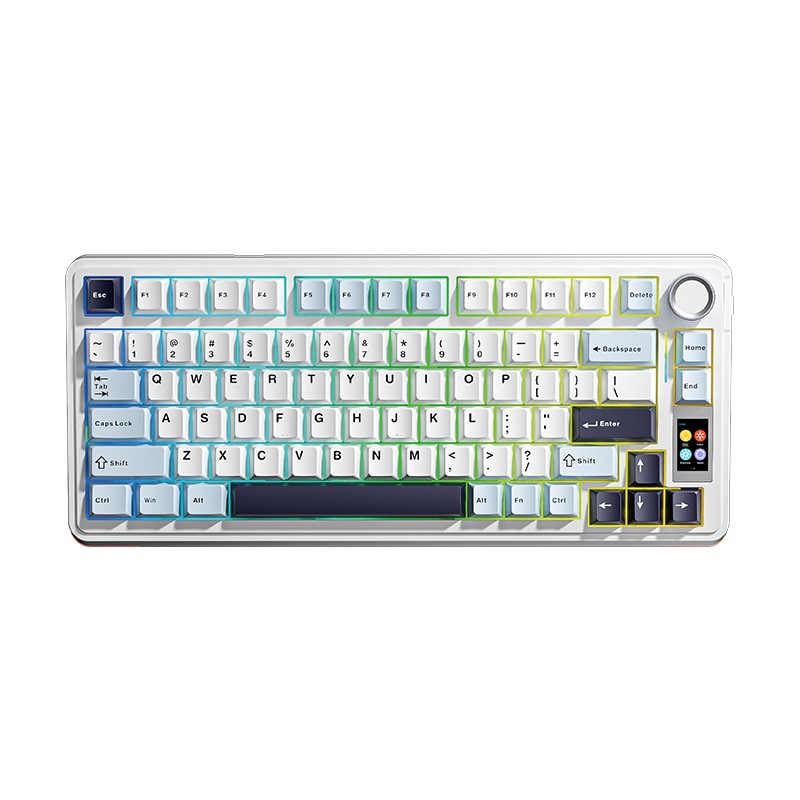
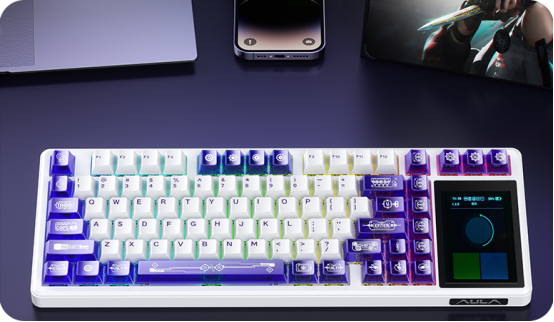
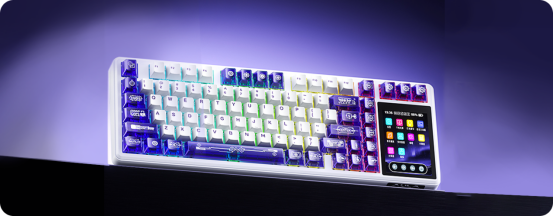
Traditional flagship gaming keyboards have long followed the full-size layout philosophy. The CORSAIR K100 RGB, for example, combines a 110-key layout with dedicated media controls, six macro keys, and its signature iCUE Control Wheel. Razer's BlackWidow V4 Pro follows a similar approach, adding multiple macro keys around the main layout and a programmable Command Dial for faster access to different functions. The AULA L99 Gaming Keyboard takes a more balanced approach — compact, yet uncompromising. Its 99-key layout keeps the essential functions users expect from a full-size keyboard while reducing unnecessary space. Users still benefit from a dedicated number pad while gaining additional desk room for a mouse, headset, and other accessories.
For gamers, creators, and professionals who spend long hours at their desks, this optimized layout creates a cleaner and more comfortable setup. A premium keyboard should not only provide more functions. It should also improve the overall desktop experience.
2. From Control Knobs to a Complete Smart Interface
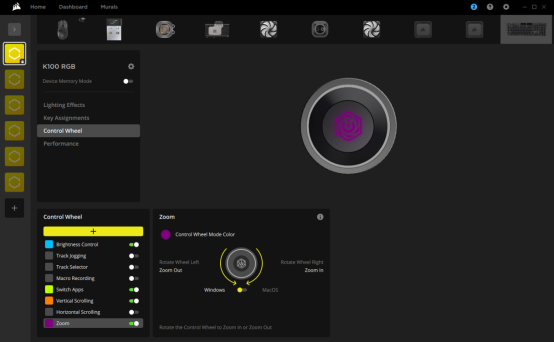
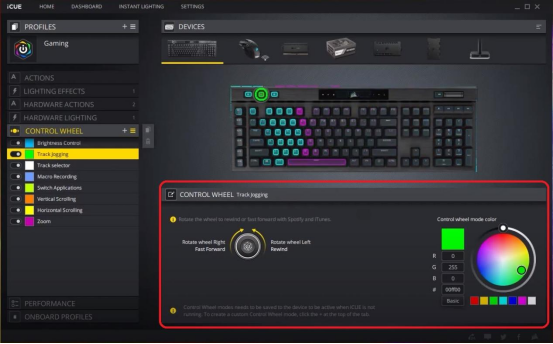
Dedicated controls have become a defining feature of many premium gaming keyboards. CORSAIR's Control Wheel allows users to adjust lighting, control media, switch applications, zoom content, and customize different functions. Razer's Command Dial follows a similar idea, providing quick access to commonly used commands without relying completely on keyboard shortcuts. The AULA L99 Gaming Keyboard takes this concept further by combining physical controls with an integrated smart display. Instead of simply executing commands, the keyboard provides visual feedback during interaction.This creates a different relationship between the user and the device. You are no longer just pressing keys. You are interacting with a smarter and more responsive part of your setup.
3. Smart Display: Combining Information and Personalization
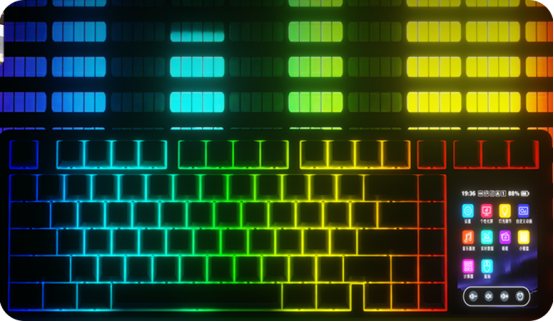
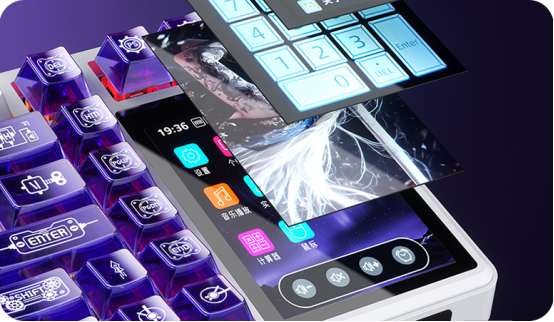
A display feature on a gaming keyboard is not completely new. The ROG Strix Flare II Animate, for example, introduces an AniMe Matrix display that supports customizable animations, system information, notifications, and visual effects. The AULA L99 approaches the idea from another perspective. Its 1.14-inch smart display is designed as part of the daily keyboard experience, providing useful information while adding personality to the desktop environment. A modern premium gaming keyboard should not only look impressive when RGB lighting is active. It should also provide meaningful interaction during everyday use. Whether gaming, working, or simply enjoying time at the desk, the keyboard should feel like a natural extension of the user.
4. Performance Is Only Part of the Experience
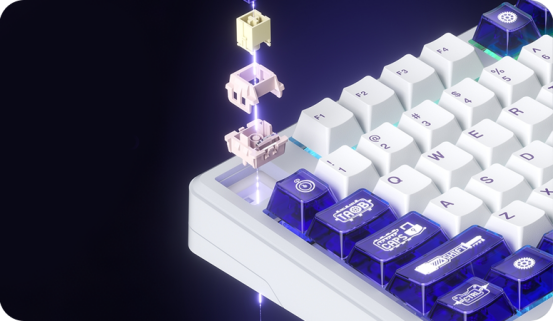
High polling rates and fast response times have become common features among modern flagship gaming keyboards. For example, both the CORSAIR K100 RGB and ROG Strix Flare II Animate support 8,000Hz polling rates, delivering extremely responsive performance for competitive gaming. However, speed is only one part of the experience. A keyboard is one of the most frequently touched devices on a desk. Every key press contributes to the overall feeling of gaming, working, and creating. That is why the AULA L99 Gaming Keyboard places equal importance on typing feel and acoustics. Its gasket-mounted structure and multi-layer sound-dampening system are designed to create a softer, more controlled, and more satisfying typing experience. The goal is not only impressive specifications on paper. The goal is making every keystroke enjoyable — even after hours of continuous use.
5. Wireless Gaming Keyboard Freedom: Wired When You Need It, Wireless When You Want It
Connectivity has become an important part of modern keyboard design. Many traditional flagship gaming keyboards still focus primarily on wired connections. The CORSAIR K100 RGB, for example, uses a wired USB connection designed for maximum stability.
The AULA L99 Gaming Keyboard provides a more flexible approach with tri-mode connectivity support, including wired connection, 2.4GHz wireless, and Bluetooth.
As a versatile wireless gaming keyboard, L99 can adapt to different environments:
Competitive gaming at a desktop setup
Productivity with a laptop
Clean wireless workstation designs
Multi-device daily use
One keyboard can support multiple scenarios without unnecessary limitations. This flexibility makes L99 suitable not only for gaming but also for modern digital lifestyles.
6. Where Does AULA L99 Fit Among Flagship Gaming Keyboards?
The answer is not that the L99 is simply “better” than every premium gaming keyboard.
Each leading brand has its own strengths.
CORSAIR delivers deep customization through the iCUE ecosystem, offering extensive control options and hardware integration.
Razer provides a powerful Synapse ecosystem with advanced macros, Command Dial functionality, and Chroma RGB customization.
ROG combines its ecosystem through features such as AniMe Matrix, Aura Sync, and specialized hardware controls.
The AULA L99 Gaming Keyboard takes a different position.
Instead of focusing on one standout feature, it brings multiple experiences together:
| Feature | AULA L99 Advantage |
|---|---|
| Layout | Compact 99-key design with full functionality |
| Interaction | Smart display and intuitive controls |
| Connectivity | Wired + 2.4GHz + Bluetooth |
| Typing Experience | Gasket structure and sound optimization |
| Design | Balanced performance and aesthetics |
The L99 does not ask:
“How many features can be added to a gaming keyboard?”
Instead, it asks:
“How can every feature work together to create a better daily experience?
A Different Kind of Flagship Gaming Keyboard
The next generation of gaming keyboards will not only be defined by longer specification lists.
They will be defined by how naturally they fit into users' daily lives.
Gaming.
Working.
Creating.
Watching.
And enjoying every moment at the desk. That is what the AULA L99 Gaming Keyboard is designed for. It is not just another mechanical gaming keyboard with additional features. It is a thoughtfully designed companion that combines performance, smart interaction, wireless freedom, and everyday comfort into one complete experience.
AULA L99
More Function. More Freedom. More of Your Setup.
Fuel Your Passion.